Is Your Telegram Account Really Secure? Hackers Are Hijacking Active Sessions to Compromise Even 2FA-Protected Accounts!
A newly discovered macOS information-stealing (infostealer) malware poses a serious security threat to Telegram Desktop users. According to security researchers, this malware steals Telegram Desktop’s local session files, allowing attackers to access a user’s account without requiring the password, SMS verification code, or Telegram’s Two-Step Verification (2FA) password.
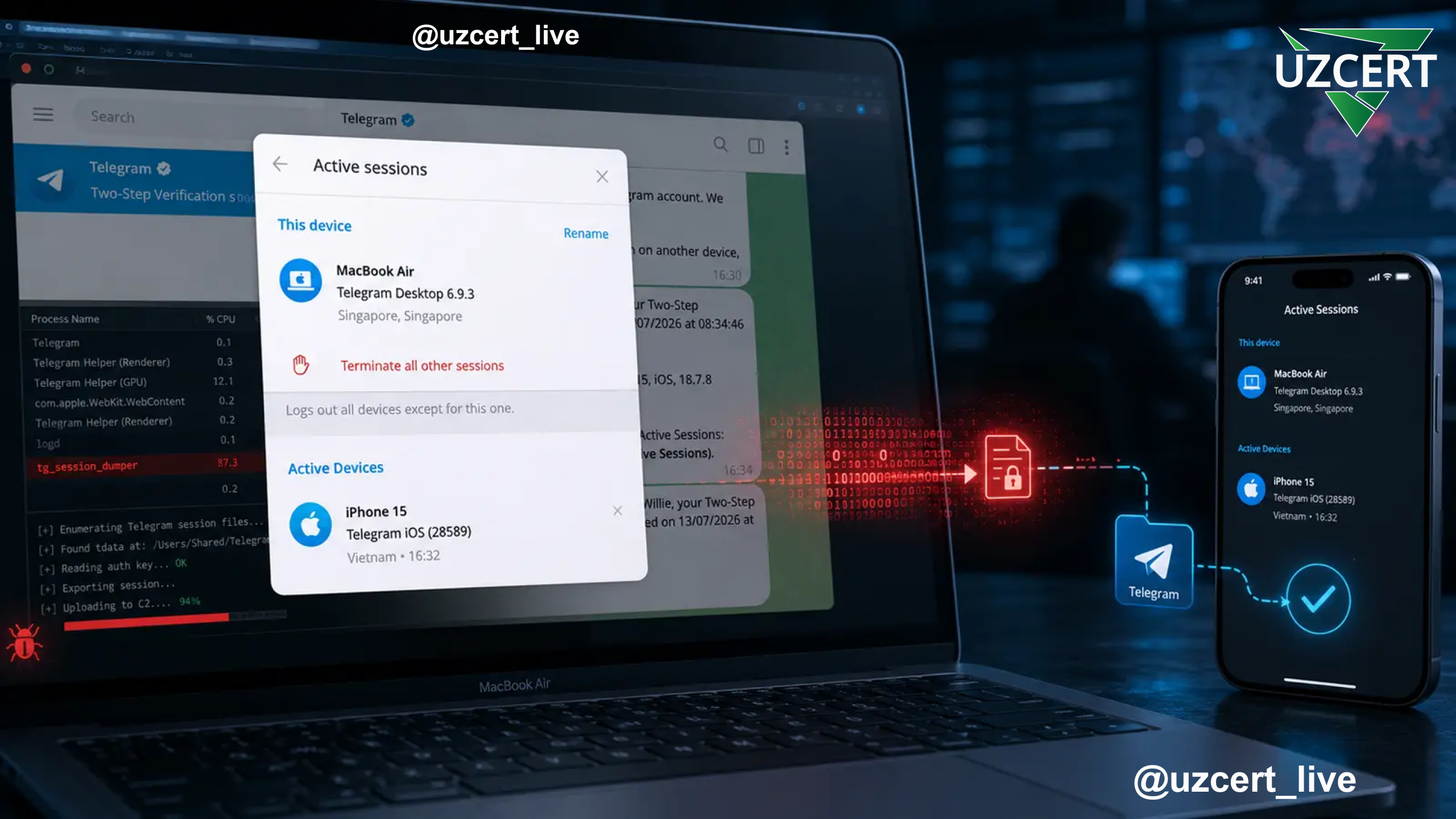
Experts emphasize that this does not mean Telegram’s 2FA has been broken. Instead, the malware copies an already authenticated and active user session and transfers it to another device. As a result, Telegram recognizes the imported session as an already trusted session rather than a new login.
How Does the Attack Work?
Telegram Desktop stores authentication data in a special tdata directory on the local system. This folder contains cryptographic keys and other data that validate an active user session.
Researchers found that the malware:
- Locates the Telegram Desktop tdata folder.
- Copies key_datas, maps, and other session-related files.
- Collects them in a temporary directory.
- Compresses them into a ZIP archive.
- Uploads the archive, along with other stolen data, to an attacker-controlled server.
The attacker then transfers these files to another compatible macOS device.
Experiments conducted by the SlowMist security laboratory demonstrated that the session could be successfully restored on macOS 12.7 running Telegram Desktop version 4.16.
As a result, Telegram:
- Did not request the user’s phone number.
- Did not require an SMS verification code.
- Did not ask for the Telegram Two-Step Verification password.
Instead, the application immediately restored the existing session and synchronized all chats and messages.
Does This Mean 2FA Has Been Broken?
No.
Security experts stress that this is not a bypass of Telegram’s Two-Step Verification mechanism.
Telegram’s 2FA only protects the authentication process when signing in from a new device.
However, if an attacker obtains the files associated with an already authenticated session, Telegram treats it as a continuation of the existing trusted session rather than a new login.
Therefore, the user is not prompted again for:
- Phone number
- SMS verification code
- Two-Step Verification password
This attack technique is commonly known as Session Hijacking or Session Reuse.
Why Is the Telegram Desktop Passcode Important?
Researchers also identified another important security consideration.
If the user has not enabled the Telegram Desktop Passcode, transferring the session to another device becomes significantly easier.
When the Desktop Passcode feature is enabled, attackers must bypass an additional layer of protection.
This makes the Desktop Passcode one of the most important additional security features available for Telegram Desktop users.
The Threat Extends Beyond Telegram
The malware is not limited to stealing Telegram sessions.
Analysis revealed that it also targets:
- macOS Keychain credentials;
- Browser-stored usernames and passwords;
- Browser cookies;
- Apple Notes data;
- Cryptocurrency wallet databases;
- Wallet extensions installed in Chromium-based browsers.
Additionally, the malware displays fake macOS password prompts in an attempt to steal the user’s administrator password.
As a result, attackers may simultaneously obtain:
- Browser passwords;
- Keychain credentials;
- Telegram sessions;
- Cryptocurrency wallet keys.
Cryptocurrency Users Are Also Being Targeted
Researchers discovered that the malware searches for at least 16 cryptocurrency wallet applications.
Furthermore, it can replace legitimate applications such as:
- Ledger;
- Trezor;
- Other popular cryptocurrency wallets
with visually identical fake applications.
When the victim launches the counterfeit application, an attacker-controlled interface is displayed instead of the legitimate one.
Since the fake application uses:
- The original icon;
- The original application name;
- A familiar user interface,
the victim may not suspect anything unusual.
Once the user enters their Recovery Phrase (Seed Phrase), the secret keys are immediately transmitted to the attacker.
The most dangerous aspect is that once a Recovery Phrase has been compromised, changing a password cannot protect the wallet. The only secure solution is to create a completely new wallet and transfer all assets to it.
Why Is the Threat Difficult to Detect?
According to SlowMist researchers, once a session has been copied, it may not always appear as a separate new device in Telegram’s Active Devices list.
Additionally:
- Some chats may remain available from local storage.
- Even if sending new messages is restricted, previously synchronized conversations can still be viewed.
This makes detecting account compromise significantly more difficult.
Recommended Mitigation Measures
Security experts recommend that users:
- Enable the Desktop Passcode feature in Telegram Desktop.
- Enable Telegram Two-Step Verification (2FA).
- Regularly review the Active Sessions section and immediately terminate any unknown sessions.
- If suspicious activity is detected, revoke all active sessions from a trusted device and authenticate again.
- Change the Telegram Two-Step Verification password.
- Reset all passwords stored in Keychain, browsers, and other applications.
- Download Telegram Desktop and other software only from official sources.
- Keep macOS, web browsers, and Telegram Desktop updated with the latest security patches.
- Regularly scan systems using antivirus and EDR solutions.
- If cryptocurrency wallets may have been compromised, generate a new Recovery Phrase and transfer assets to a newly created wallet.
The malware identified by SlowMist does not break Telegram’s Two-Step Verification, but it effectively bypasses its protection by stealing an already authenticated session. This demonstrates that 2FA alone is not an absolute security guarantee. If a device itself becomes compromised, attackers can obtain session files and use them to gain unauthorized access to Telegram accounts.
This incident serves as an important reminder for all users: protecting an account requires more than a strong password or two-factor authentication. The device itself must remain secure, session data must be properly protected, Telegram Desktop should be secured with a dedicated Passcode, and systems should be kept up to date. These practices are essential components of modern cybersecurity.